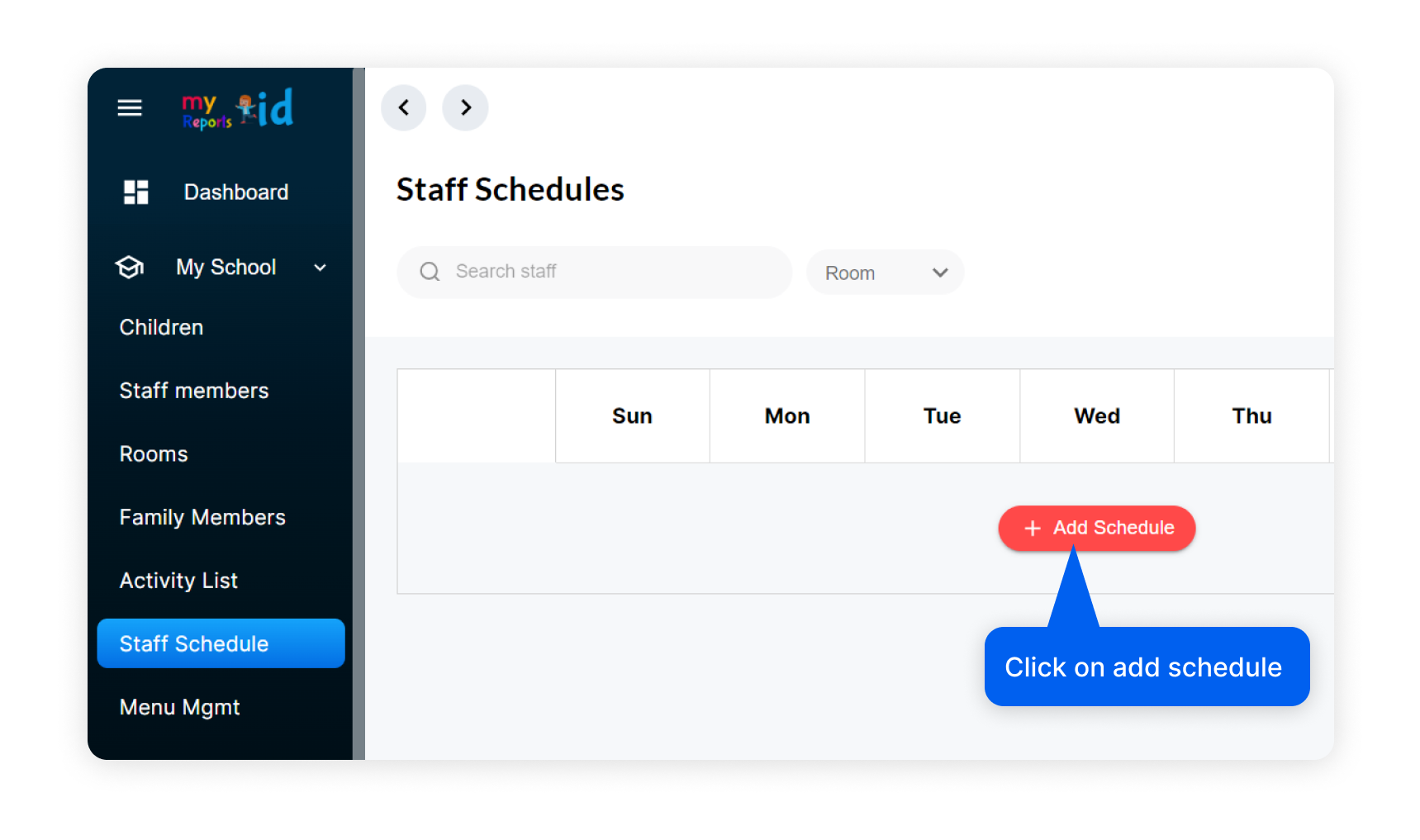
- Login to MyKidReports and go to staff schedule as shown below.
- Now click on "Add schedule" a popup will appear where you need to add some details
Step 2: Enter schedule details
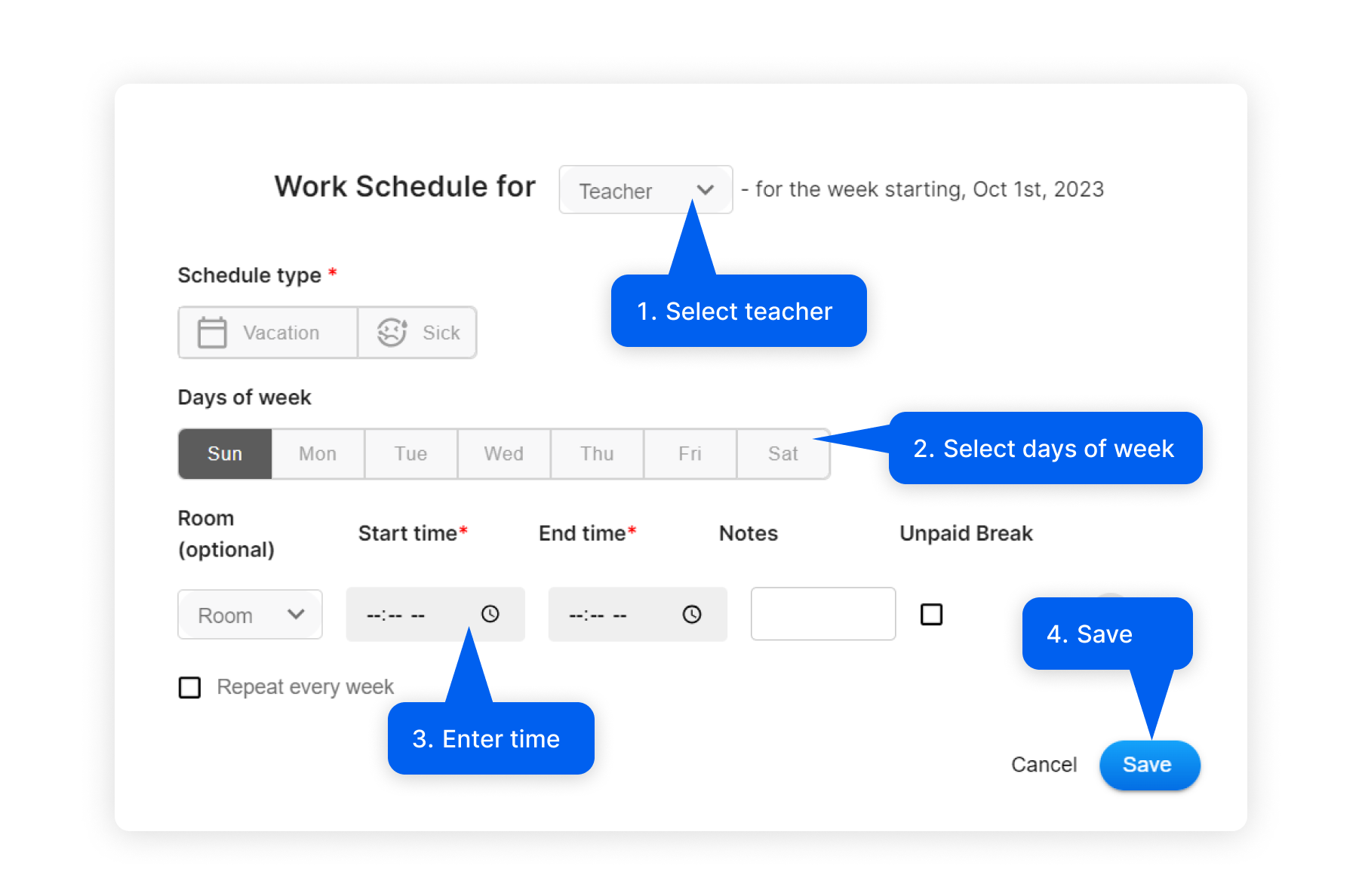
- First select staff to whome you wnat to add schedule.
- Select days of week, you can select multiple days
- Enter start and end time of schedule and save. 💡You can also schedule for vacation or sick leaves for staff.